Getting started with publish.law
Set up your presence and publish your first note in about five minutes.
Updated June 6, 2026
publish.law gives you a home on the web that is yours: a profile, your credentials, and a place to publish, all connected to a network of other people doing the same. This guide gets you from a new account to a live site in about five minutes.
You do not need to do everything at once. Start with the basics below, and come back to the rest whenever you are ready.
When you first sign in
The first time you sign in, a quick setup walks you through the basics: your site name, your photo and bio, a credential, and your first note. It takes a couple of minutes.
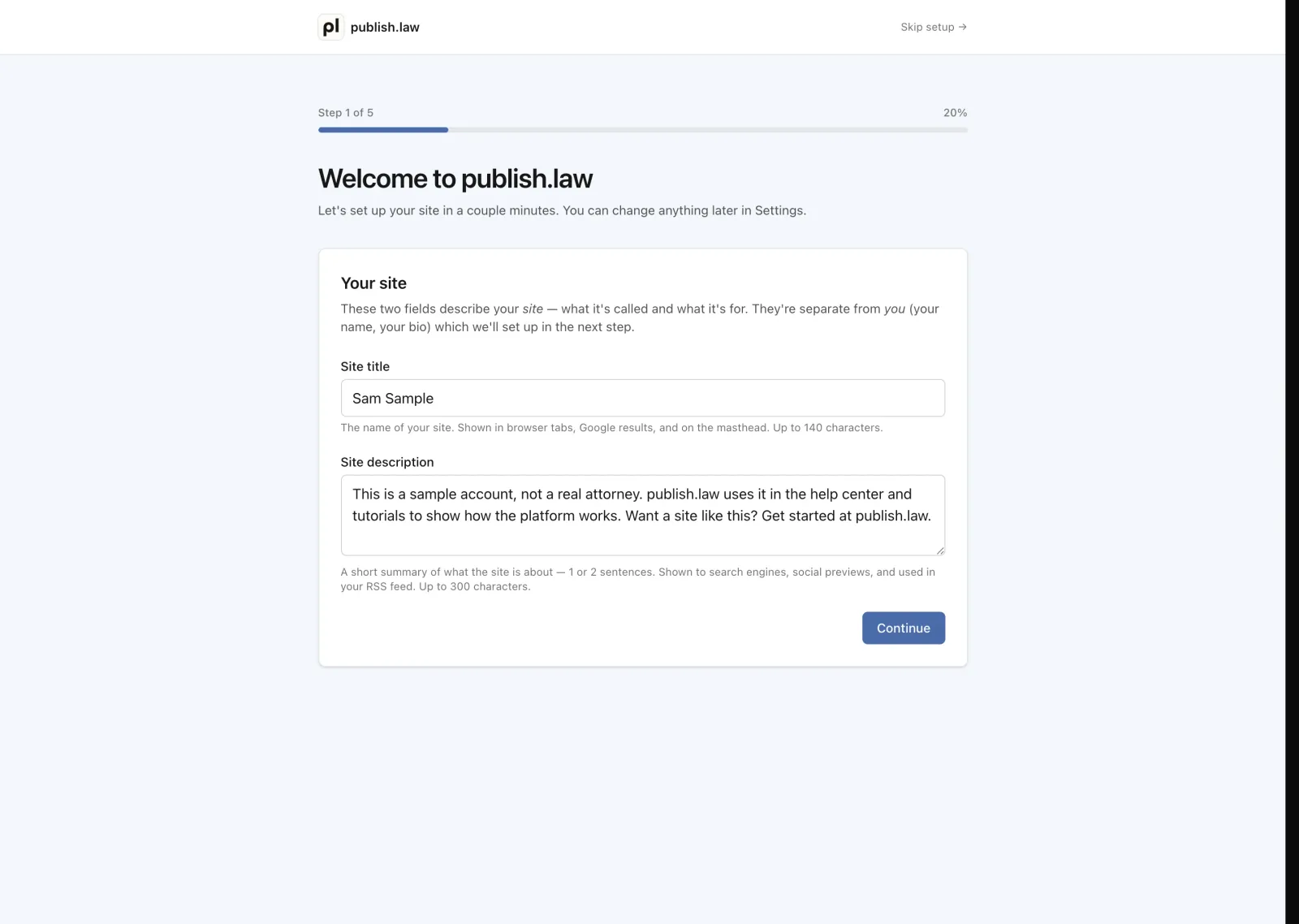
You do not have to finish it all right then. You can skip any step with Skip for now and come back to it later, or leave the whole setup at once with Skip setup at the top. Nothing is lost. Whatever you have not finished is waiting for you on the Setup page.
Your Setup page
Setup in the sidebar keeps the checklist of what is left to set up, so you can pick up where you left off any time and watch your progress as you go. The number next to it is how many steps remain, and your Home page links there while anything is left.
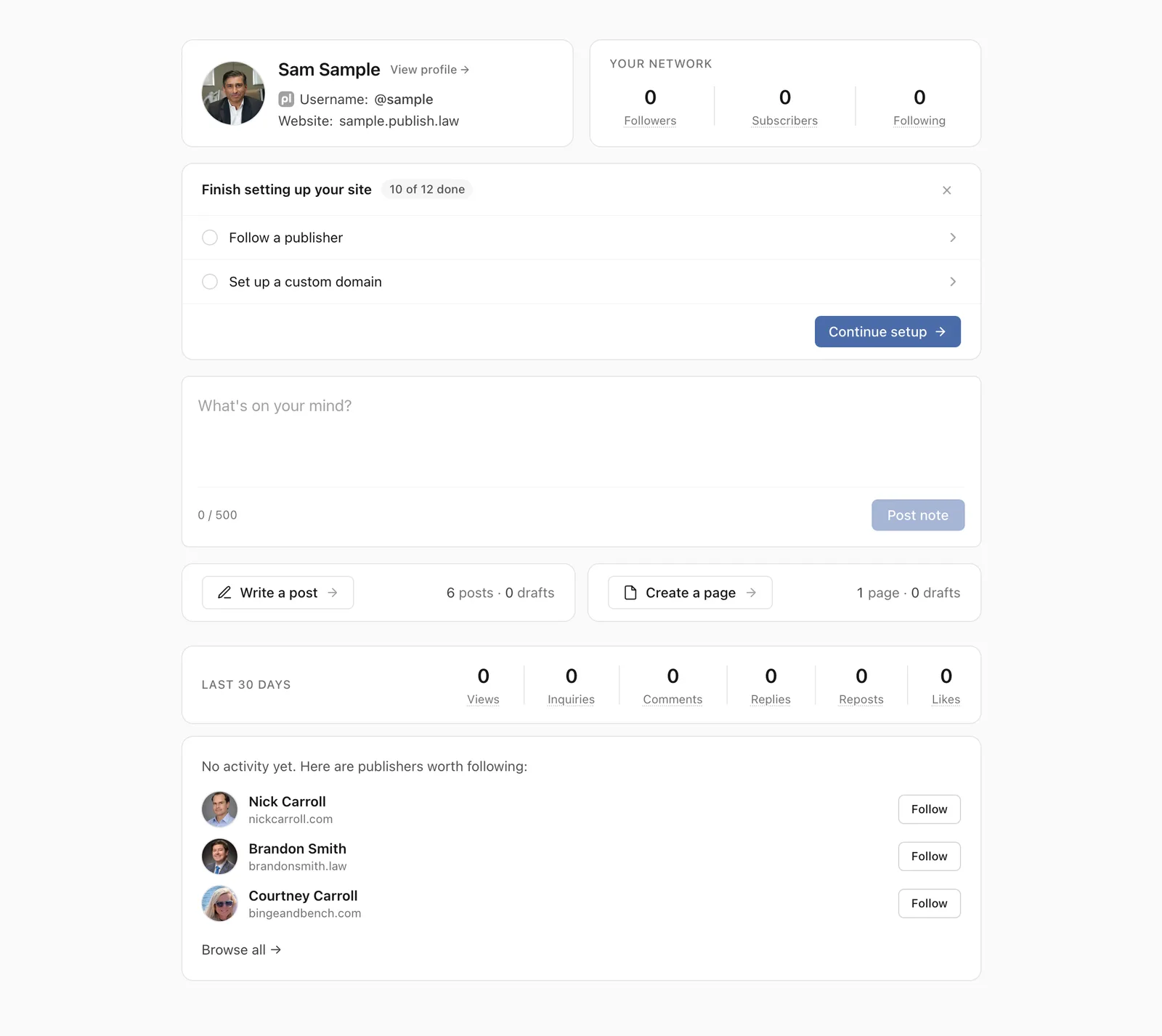
We will walk through the first few items here. Each one also has its own guide if you want more detail.
1. Add your photo, headline, and bio
This is what visitors see first, so it is worth a minute. Add a photo, write a one-line headline (what you do, in plain words), and a short bio.
You can change any of this later, so do not overthink it. A simple, accurate start is better than a blank page.
For the full walkthrough, see Set up your profile.
2. Add a credential
Credentials are where you list things like your bar admissions, your education, and the organizations you belong to. Add one to start. It shows up on your site right away.
Tip
You only need one to get going. You can add more, reorder them, and group them however you like at any time.
See Add your first credential for the details.
3. Publish your first note
A note is a short post: an update, a link, a quick thought. Notes are the easiest way to get your site started and to show up in other people’s feeds.
Open the note composer, write a sentence or two, and publish. That is it, you are live.
See Write a note to learn more.
4. Find your site address and preview it
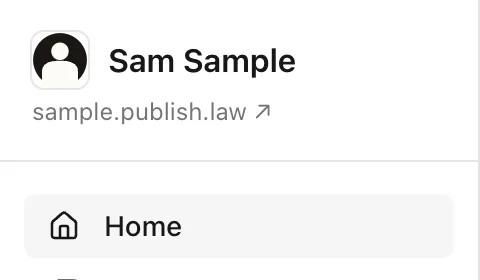
Every site comes with its own address, like yourname.publish.law. You will
find it at the top of your dashboard, along with a preview link that shows your
site exactly the way visitors see it.
When you are ready to use your own web address instead, see Connect your own domain.
What happens next
Once your basics are in place, you can explore the rest:
- Follow other publishers so their notes and posts appear in your feed.
- Write a post when you have something longer to say.
- Customize the look of your site to match your style.
You are set up. Everything else builds on what you just did, and you can add to your site a little at a time.