Write a note
Share a short update, link, or thought with your followers.
Updated June 6, 2026
A note is a short post: an update, a link, or a quick thought. Notes are the easiest way to keep your site active and to show up in the feeds of people who follow you.
Write and publish a note
Go to Notes under Publishing. Write your note in the composer, then publish. That is all it takes to go live.
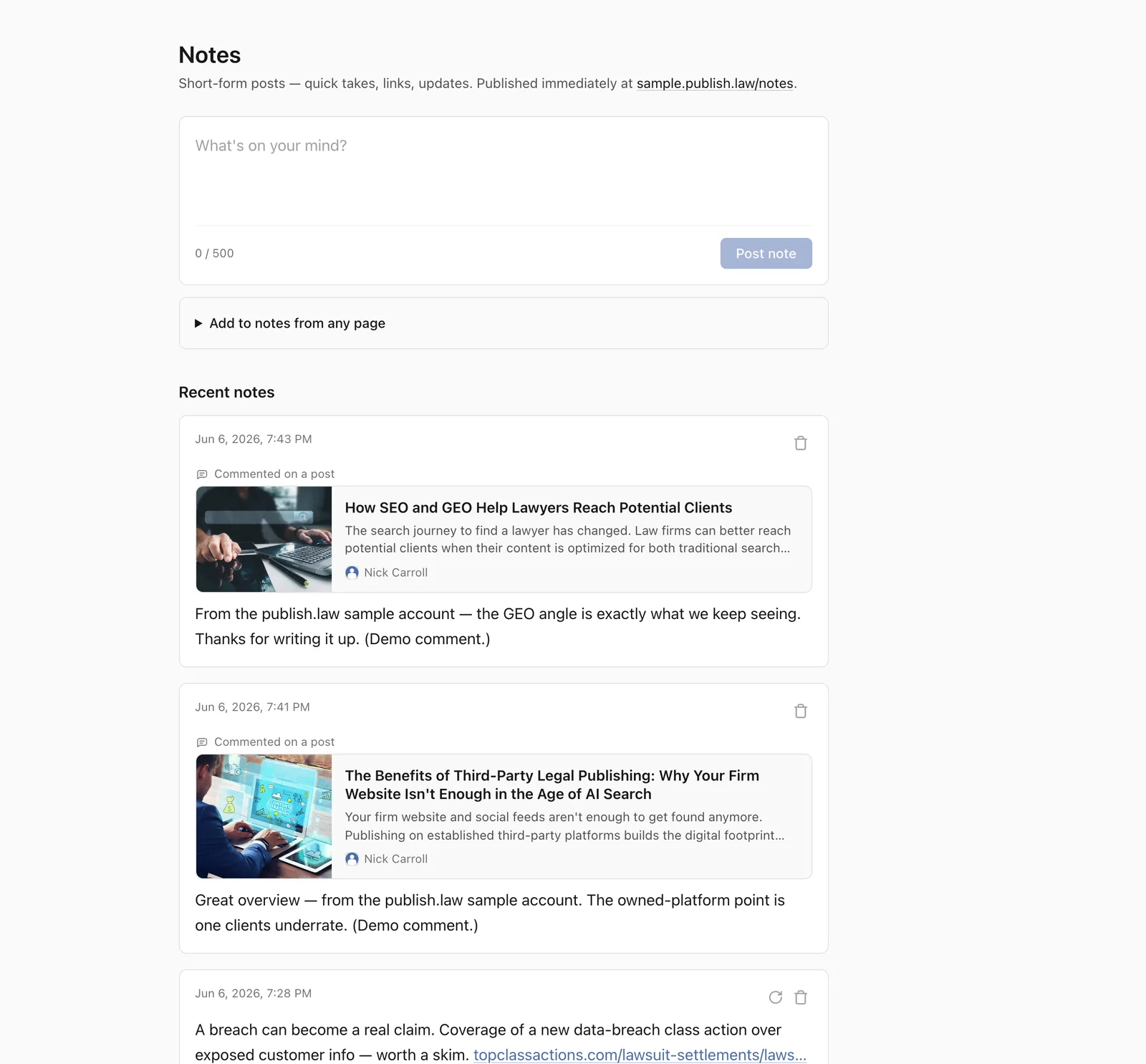
You can also:
- Add a link. Paste a URL and it appears as a tidy preview card.
- Add an image to go with your words.
Tip
Notes are a low-pressure way to stay visible. A sentence with a link to something you found worthwhile is a perfectly good note.
After you publish
You can edit, delete, or repost a note at any time. Reposting shares someone else’s note with your followers, with credit to the original.
What visitors will see
Your notes appear on your site and in the feeds of everyone who follows you. To see how your published notes look, use the preview link at the top of your dashboard.