Set up your profile
Add your photo, headline, and bio so visitors know who you are.
Updated June 6, 2026
Your profile is the first thing visitors see when they land on your site. A photo, a clear headline, and a short bio go a long way toward making your site feel like yours.
Before you start
Have a profile photo ready, a headshot works well, and think of one plain sentence that says what you do.
Add your photo, headline, and bio
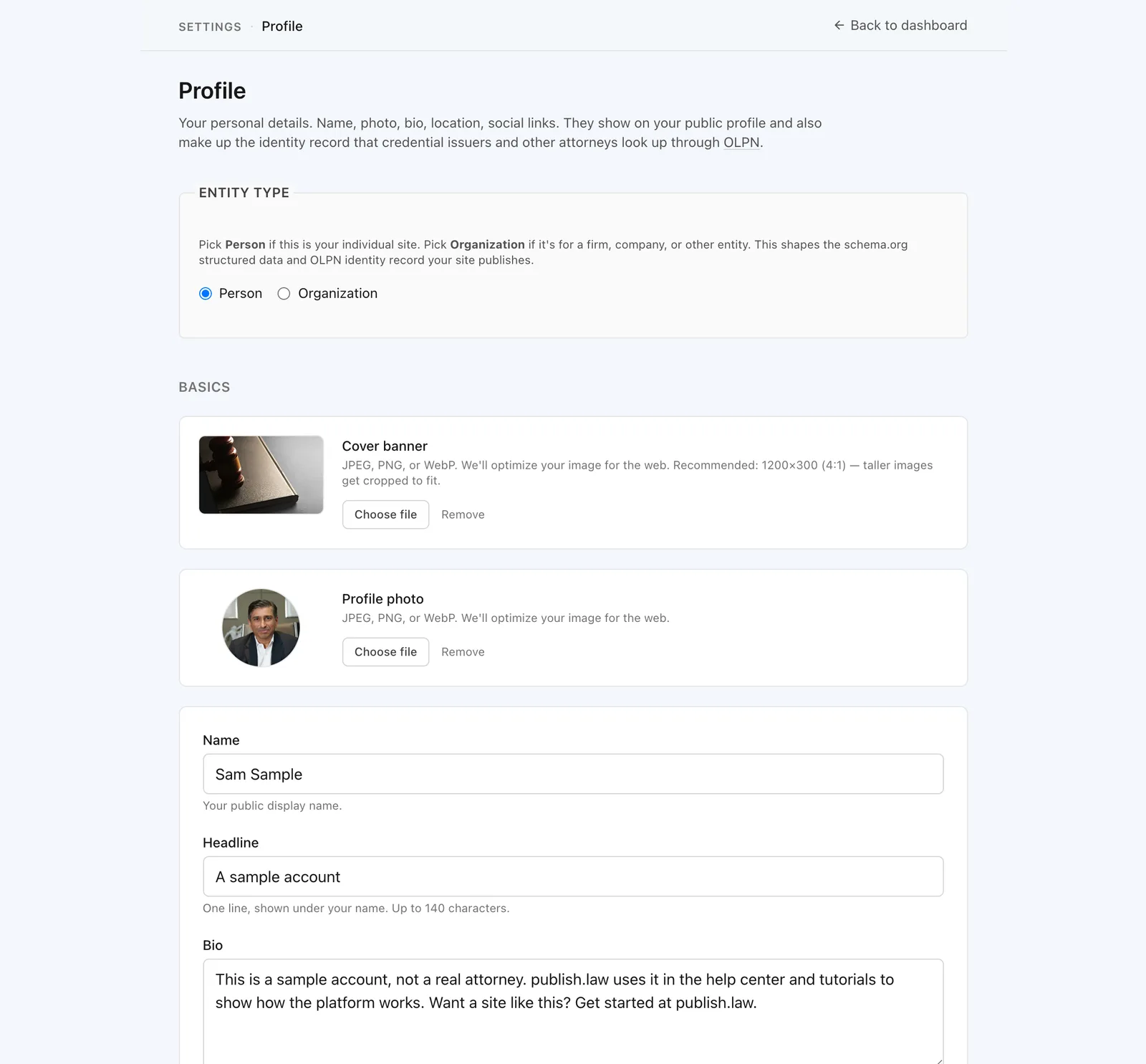
Go to Settings, then Profile. From there you can:
- Upload a photo. Square images look best.
- Write a headline. One line, in plain words: what you do and who you help.
- Write a bio. A short paragraph is plenty to start.
Save when you are done.
Tip
Keep your headline simple and specific. “Personal injury attorney in Atlanta” tells a visitor more than a job title alone.
What visitors will see
Your photo, name, and headline appear at the top of your site, with your bio just below. To check how it looks, use the preview link at the top of your dashboard. See Your site address and how to preview it.
You can come back and update any of this at any time.