Add your first credential
Show your bar admissions, education, and memberships on your site.
Updated June 6, 2026
Credentials are where you list the things that establish who you are professionally: your bar admissions, your education, and the organizations you belong to. They show up on your site in a clean, organized way.
Before you start
Gather the details for the credential you want to add, such as the issuing organization, what it is, and the year.
Add a credential
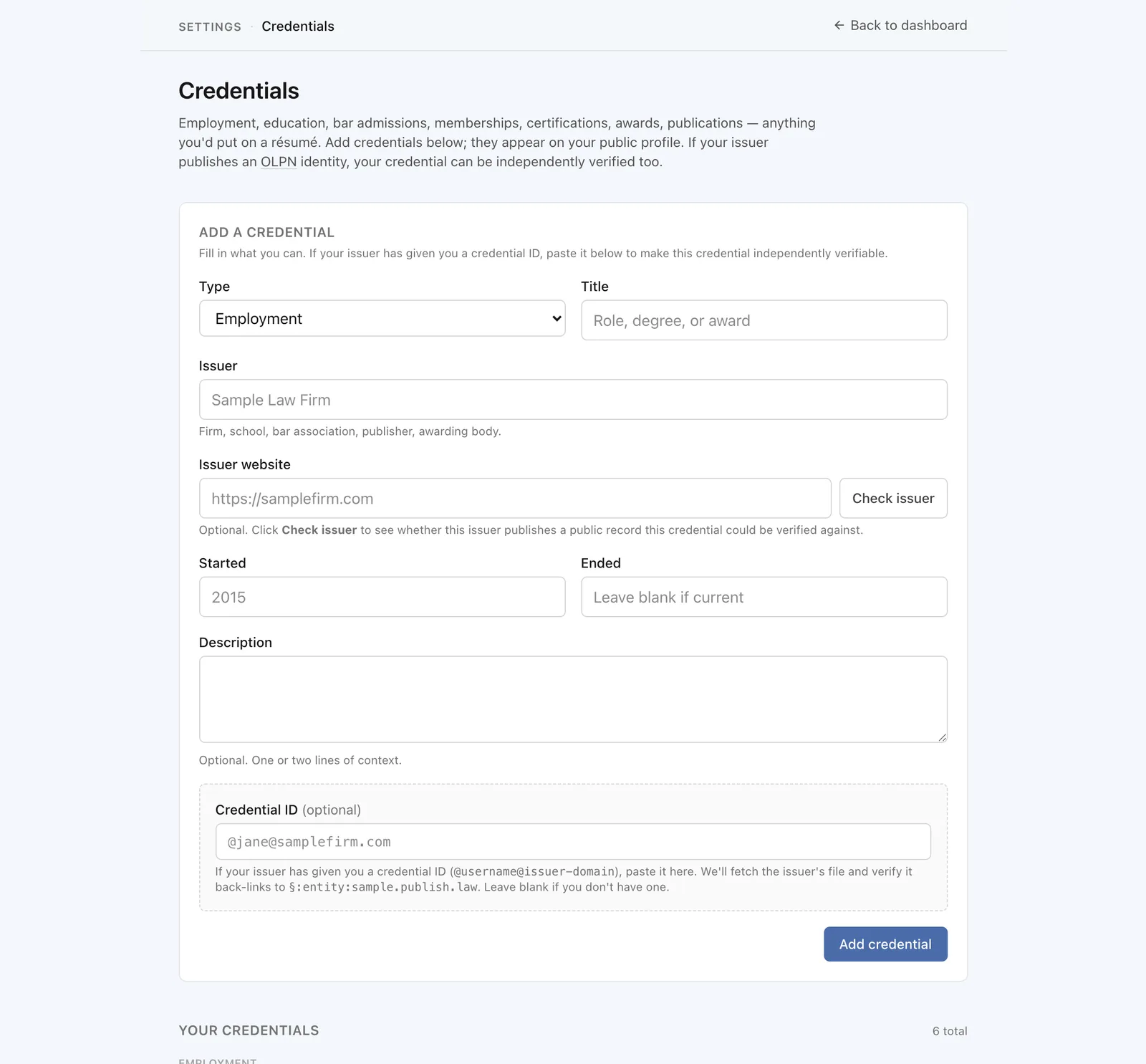
Go to Settings, then Credentials. Add a credential and fill in the details. It appears on your site as soon as you save.
Tip
You only need one to start. Add more whenever you like, and drag them into the order you want.
Organize them your way
Credentials are grouped by kind on your site, for example admissions together and education together. You control the order within each group, so the things you want seen first come first.
What visitors will see
Your credentials appear in their own clearly labeled section on your site. If the organization that issued a credential supports linking back to its own records, your credential can point to that source, so a visitor can follow it to the original.